Cupertino Desktop Kit (CDK)
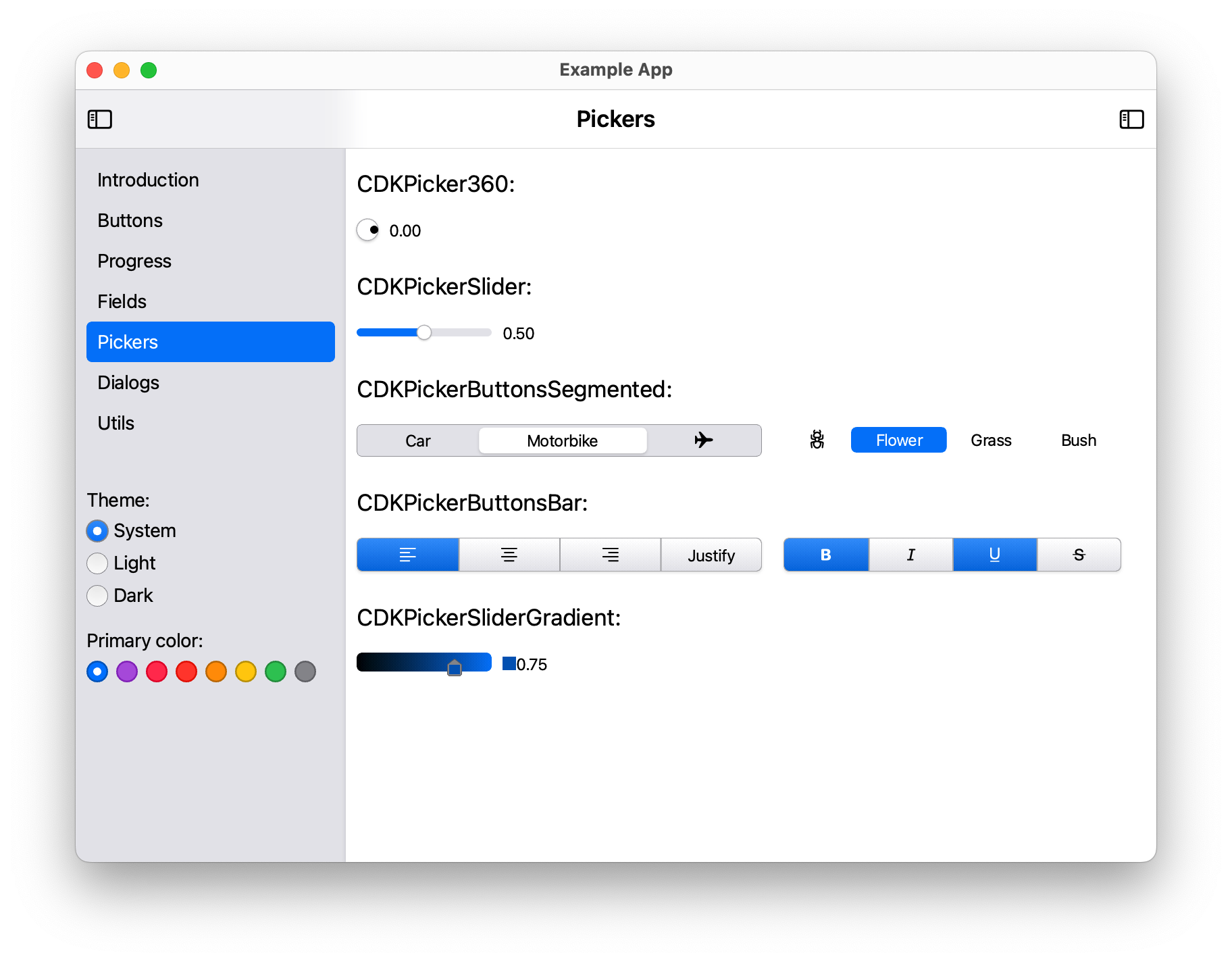
This project, defines Flutter widgets for Desktop, providing a macOS style aesthetic, built upon the foundation of Cupertino widgets.
The goal is to be able to develop applications for all desktop systems, including the web, filling in the gaps in the Cupertino theme.
The CDK prefix strives to be distinctive within the Flutter ecosystem, while remaining concise and suggestive of Flutter Desktop and macOS AppKit. In doing so, it captures the essence of the project.
Getting Started
The project itself is just a set of libraries that define and manage widgets. However, it includes an example of how to use them. The example can be seen on this website:
API Stability
- Public exports are curated from
lib/flutter_cupertino_desktop_kit.dart. - Implementation files live in
lib/src/. - Release checks:
doc/api_review_checklist.md. - Dialog behavior contract:
doc/dialog_invariants.md. - Theme extension reference:
doc/theming_extensions.md.
Scope and Non-goals
- Scope: desktop-first Cupertino-style widgets for Flutter (
macOS,Windows,Linux,Web). - Scope: consistent desktop interactions (focus, keyboard shortcuts, overlays, traversal).
- Non-goal: full Material replacement.
- Non-goal: mobile-first adaptive behavior parity for every widget.
Theming
- Runtime theme state is managed by
CDKTheme(appearance + accent + app focus). - Immutable component tokens are exposed through
ThemeExtension:CDKThemeColorTokens,CDKThemeRuntimeTokens,CDKThemeRadiusTokens,CDKThemeSpacingTokens,CDKThemeElevationTokens,CDKThemeTypographyTokens. - Legacy
CDKThemeNotifieraccess remains available as a compatibility shim.
Read tokens in widgets:
final colors = Theme.of(context).extension<CDKThemeColorTokens>()!;
final runtime = Theme.of(context).extension<CDKThemeRuntimeTokens>()!;
final typography = Theme.of(context).extension<CDKThemeTypographyTokens>()!;
Use semantic text roles instead of hardcoded font sizes:
const CDKText('Section title', role: CDKTextRole.title);
const CDKText('Body copy', role: CDKTextRole.body);
Keyboard and Dialog Invariants
Escapecloses only the top-most dismissible dialog.- Outside-click closes only dialogs configured with outside-dismiss.
- Dialog hosts use focus traversal groups for predictable desktop tab-order.
- Dialog focus is restored to the previous focus node on close.
CDKDialogConfirm:Enterconfirms andEscapecancels.CDKDialogPrompt: text field auto-focuses,Entersubmits when valid,Escapecancels.
API Quickstart
- Buttons:
CDKButton,CDKButtonSwitch,CDKButtonIcon,CDKButtonRadio,CDKButtonCheckBox. - Dialogs:
CDKDialogsManager.showPopover,showPopoverArrowed,showModal,showDraggable,showConfirm,showPrompt, withCDKDialogControllerfor lifecycle. - Fields:
CDKFieldText,CDKFieldNumeric,CDKFieldNumericSlider,CDKFieldColorHex. - Pickers:
CDKPickerSlider,CDKPickerButtonsSegmented,CDKPickerCheckList,CDKPickerColor,CDKPickerThemeColors.
Confirm and prompt helpers
final bool? confirmed = await CDKDialogsManager.showConfirm(
  context: context,
  title: 'Delete file?',
  message: 'This action cannot be undone.',
  confirmLabel: 'Delete',
  isDestructive: true,
);
// true = confirmed, false/null = canceled

final String? name = await CDKDialogsManager.showPrompt(
  context: context,
  title: 'Rename layer',
  placeholder: 'Layer name',
  initialValue: 'Layer 01',
  validator: (value) =>
      value.trim().length < 3 ? 'Use at least 3 characters.' : null,
);
// null = canceled, non-null = submitted text
showPopover and showPopoverArrowed default to showBackgroundShade: false.
showModal and showDraggable default to showBackgroundShade: false.
showConfirm and showPrompt default to showBackgroundShade: true (gray
blocking backdrop behind the active dialog). Override per call when needed.
Add the library as a dependency at pubspec.yaml
dependencies:
  flutter:
    sdk: flutter
  flutter_cupertino_desktop_kit: ">= 0.0.1 < 999.0.0"
Import the library
import 'package:flutter_cupertino_desktop_kit/flutter_cupertino_desktop_kit.dart';
Then
flutter pub get
flutter pub upgrade
Use it
return const CDKApp(
    defaultAppearance: CDKThemeAppearance.system,
    defaultColor:
        "systemBlue",
    child: LayoutDesktop(title: "App Desktop Title"));
Run the example as a local app:
cd example
flutter create .
flutter run
Create the project if necessary
flutter create . --template=package
rm lib/flutter_cupertino_desktop_kit.dart
rm -r test
cd example
flutter create . --platform macos # Or the platform of your choice
flutter run -d macos --enable-impeller
Libraries
- cdk
- Legacy entrypoint for Cupertino Desktop Kit (CDK).
- flutter_cupertino_desktop_kit
- Public package entrypoint for Cupertino Desktop Kit (CDK).